Pinterest doesn't give you a save button for video Pins — the app is built around keeping you scrolling inside it, not exporting things out. This free pinterest video download tool is the workaround: paste a Pin's link above and it pulls the actual file from Pinterest's servers and hands it back to you as a clean MP4, at the same quality it was uploaded in — HD, and 4K where the source supports it. Photos and GIFs work exactly the same way, so it acts as a video downloader from Pinterest and a full pinterest to mp4 converter in one box.
Pinterest Video Downloader HD — Free MP4 & 4K Download
A free, no-login pinterest video download tool that saves videos, photos, and GIFs to your device in a few seconds. Paste the link, hit download, done — it doubles as a full pinterest to mp4 converter with nothing to install.
Updated July 2026
Need to focus or relax while coding?
Enjoy calming rain & thunder sounds on
MidnightRain
🌧️
Free Pinterest Video Downloader Tool — HD & MP4
Demo URL: https://pin.it/3xoFbsBB7⭐ Like this tool? Bookmark it with Ctrl + D (Windows/Linux) or ⌘ + D (Mac) for instant access next time.
Videos & GIFs
Photos & images
HD & 4K, when
available
MP4 output, no
converting
No watermark
100% free, no login
By using this tool you agree to our Terms of Service. Please only download content you have permission to save.
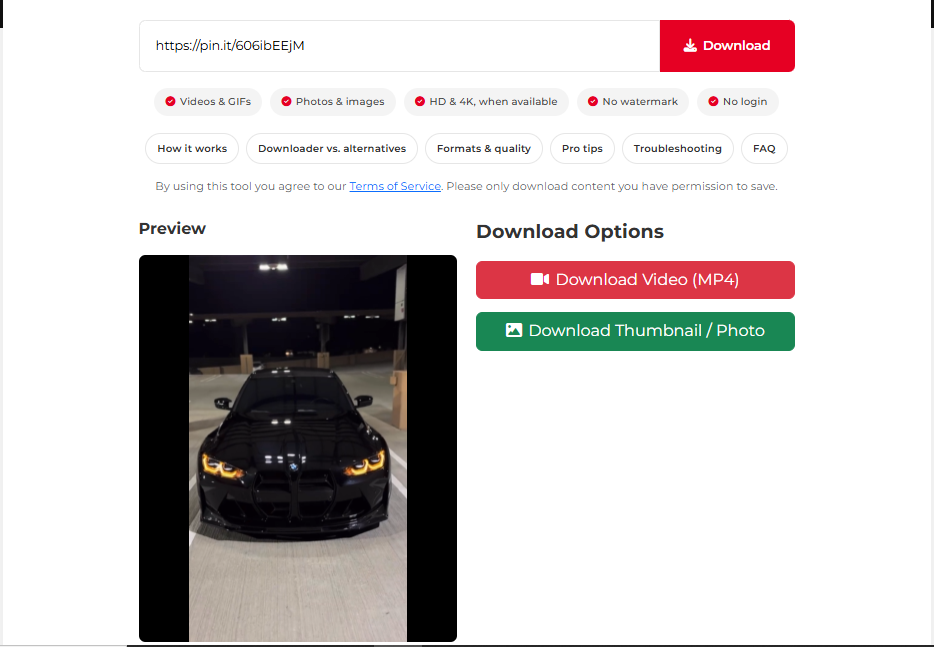
Preview
Download Options
How to Download Pinterest Videos in HD as MP4
Three steps, and none of them involve creating an account.
1
Copy the Pin's link
Tap the share icon on the Pin and choose Copy Link.
2
Paste it above
Drop the link into the box at the top of this page.
3
Download
Click Download and the MP4 lands on your device.
Step by Step on Every Device
iPhone & iPad
- In the Pinterest app, open the Pin, tap the share icon, then "Copy Link."
- Open Safari, come back to this page, and paste the link above.
- Tap Download. From the share sheet, choose "Save Video" to send it straight to Photos.
Android
- Tap the three-dot menu on the Pin and choose "Copy link."
- Open Chrome (or any browser), paste the link above, and tap Download.
- The MP4 lands in your Downloads folder and usually shows up in your gallery too.
Windows & Mac
- Copy the Pin's URL straight from your browser's address bar.
- Paste it above and click Download.
- Press Ctrl+J (Windows) or Cmd+Shift+J (Mac) to jump to your downloads folder.
Why Not Just Screen-Record It?
Screen recording works in a pinch, but it re-encodes whatever's on your screen — you lose resolution, your phone's interface can sneak into the frame, and audio sync sometimes drifts. An online pinterest video downloader instead fetches the file Pinterest is already serving, so you get exactly what the creator uploaded, converted cleanly to MP4.
| Method | Quality | Install required | Login needed | Main downside |
|---|---|---|---|---|
| This free pinterest video downloader | Original file, HD/4K, no re-encoding | No | No | One Pin at a time — no bulk downloads yet |
| Screen recording | Re-encoded, resolution drops | No (built into most phones) | No | Interface overlays and audio drift |
| Browser extension | Varies by extension | Yes, plus broad permissions | No | Extensions break or go unmaintained |
| Pinterest's own app | N/A — no export | No | Yes | No native save option for video Pins |
What You Can Actually Download
This works as a full Pinterest media grabber and pinterest to mp4 converter, not just a video tool:
- Videos — saved as MP4, playable on pretty much anything
- Photos — the original resolution file, not a compressed preview
- Animated GIFs — kept in their original animated format
- Multi-page video Pins — including content that used to be called Idea Pins or Story Pins before Pinterest merged the formats in 2023
- Thumbnails — the cover image of a video Pin, grabbed separately
Which Pinterest Links Actually Work
| Link type | Example | Works? |
|---|---|---|
| Standard Pin link | pinterest.com/pin/1234567890 |
Yes |
| Short share link | pin.it/abc123 |
Yes |
| Regional domain |
pinterest.co.uk, pinterest.de
|
Yes |
| Board link | pinterest.com/username/board-name |
No — open a single Pin first |
| Profile link | pinterest.com/username |
No — not a single piece of content |
Pinterest Video Download in HD and 4K, Explained
The tool always grabs the highest quality the Pin actually has. Here's roughly what each resolution tier looks like when you download pinterest video online:
| Resolution | Where you'll see it | Rough size, 30-second clip |
|---|---|---|
| 480p | Older or low-bandwidth Pins | ~5–8 MB |
| 720p (HD) | Most video Pins | ~15–25 MB |
| 1080p (Full HD) | Higher-effort uploads, tutorials | ~30–50 MB |
| 4K (UHD) | Only if the original upload was 4K | ~80–150 MB |
A Few Things That Save You Time
Keep a "to download" board
Pin anything you plan to save later onto its own board. It's a lot faster than scrolling back through your feed hunting for it.
Test in a private window first
If a download fails, open the Pin in an incognito tab. If it won't load there either, it's a privacy setting — not this tool.
Know where iPhone puts files
Downloads land in Files > Downloads unless you choose "Save Video" from the share sheet, which sends it to Photos instead.
Carousels need one link each
Multi-image Pins don't have a single "download all" link yet — grab each image's own link individually.
Is It Safe to Use?
We don't ask for your Pinterest login, we don't keep copies of your videos or photos on our servers, and every connection runs over HTTPS. The file transfer happens directly between Pinterest's servers and your device — we're just the middleman that fetches the link.
Checked against: Google Safe Browsing | Norton Safe Web | Sucuri Scanner
Why Won't My Pinterest Video Download?
Almost every failed download traces back to one of these five things:
| What you're seeing | Likely cause | What to do |
|---|---|---|
| Nothing happens after clicking Download | The link wasn't fully copied | Re-copy it using the share icon rather than the address bar |
| An error saying the link is invalid | It points to a board or profile, not a single Pin | Open the specific Pin and copy that link instead |
| Only a photo comes through, no video | The Pin itself has no video attached | Nothing to fix — that Pin is image-only |
| Works on desktop, not on my phone's browser | Some mobile browsers block auto-downloads | Long-press the download link and choose "Download link" |
| Download starts, file won't open | A brief hiccup mid-transfer | Wait a moment and click Download again |
Still stuck? Contact us with the Pin link and we'll take a look.
Frequently Asked Questions
- Is this a genuinely free pinterest video download tool?
- Yes. No account, no subscription, no download cap. The site is supported by a couple of small ad slots rather than a paywall, so every download stays free.
- Can I download photos and GIFs, not just video?
- Yes — paste any Pin link and the tool grabs whatever media is attached to it, whether that's a video, a still image, or an animated GIF.
- Does this work as a pinterest to mp4 converter?
- Yes, automatically. There's no separate conversion step — click Download and you get a ready-to-play MP4 file, converted from Pinterest's native format on the fly.
- Will this work on my iPhone?
- Yes, in Safari. After downloading, use the share sheet to save the file straight to your Photos app if you don't want it sitting in Files.
- Do pin.it links and country-specific Pinterest domains work?
- Yes. Full pinterest.com/pin/ links, short pin.it links, and regional domains like pinterest.co.uk or pinterest.de all work the same way with this online pinterest video downloader.
- What about Idea Pins or Story Pins?
- Pinterest folded both of those into its standard Video Pin format back in 2023, so almost everything you'd have called an Idea Pin is now a regular Pin. Paste the link and the tool pulls whatever's on it.
- Can I get a pinterest video download in HD or 4K?
- Yes — the tool always fetches the highest quality the Pin actually has, which usually means HD (720p or 1080p), and full 4K on the Pins that were originally uploaded at that resolution. Nothing gets re-compressed on our end.
- Is downloading Pinterest videos legal?
- This tool is meant for personal, non-commercial use. Respect the original creator's copyright and Pinterest's terms, and only save content you actually have permission to keep.
- Why isn't my download working?
- Most of the time it's a private Pin, a board link instead of a single Pin, or an incompletely copied URL. See the troubleshooting table above for the full list.
- Can I pull content from a private board?
- No, and that's intentional. The tool only reaches content that's already public — it never asks for or uses your Pinterest login.